

Overview
When your agent analyzes data during a conversation, the charts, tables, and insights it produces are trapped in that chat thread. Apps give those outputs a permanent home — a live, interactive page inside Aster that anyone in your organization can open anytime. Ask your agent to build a pipeline dashboard, a traffic report, an audit summary, or a portfolio overview, and it creates an app at a stable URL you can bookmark, share with your team, and come back to whenever you need it.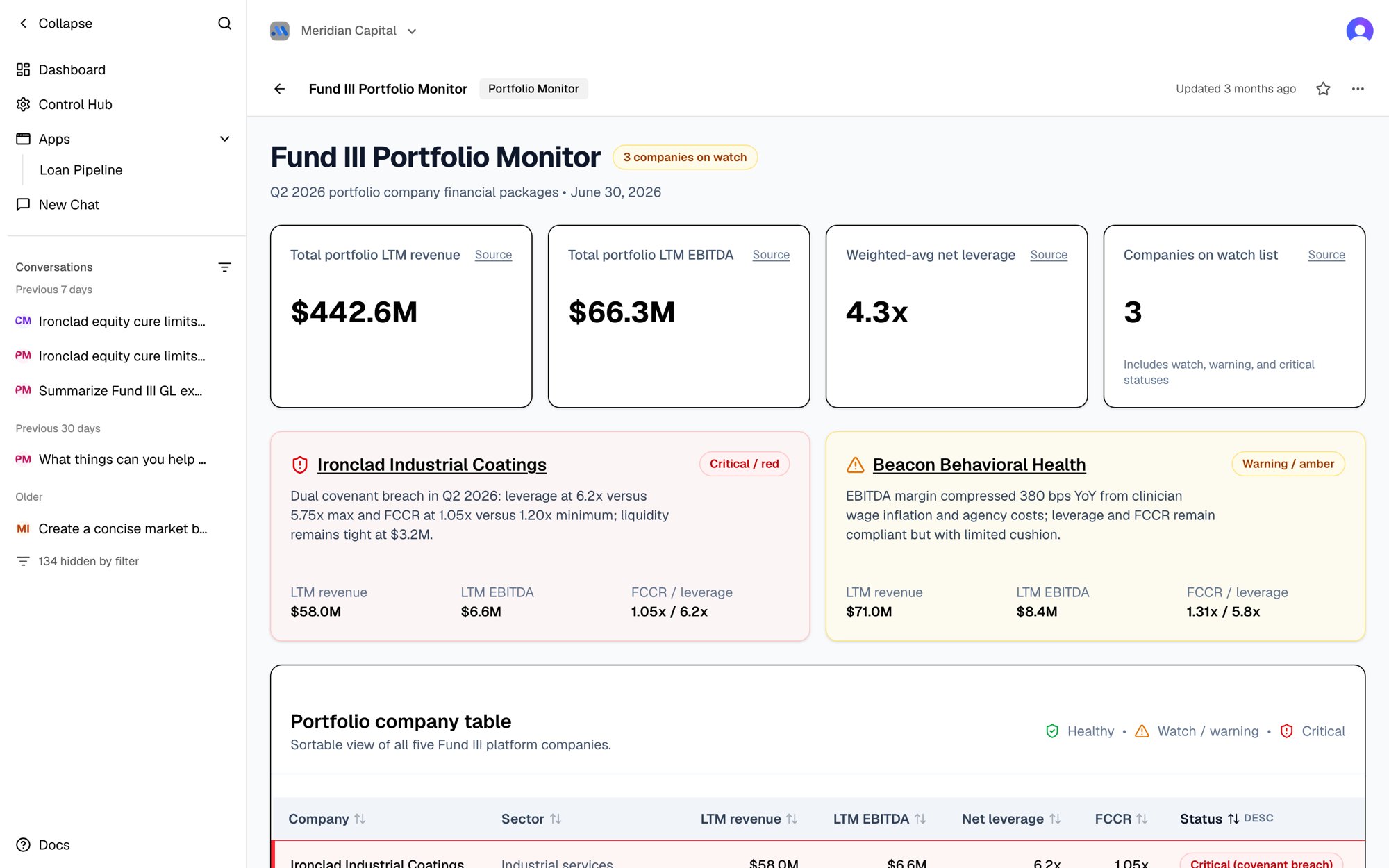
Getting Started
Enable the tool
Add
manage_apps to any agent that you want to be able to create apps.Ask for what you want
Tell the agent what you’d like to see — a dashboard, a report, a comparison view.
Open the link
The agent returns a
/apps/{id} URL. Click it to see your app.What Can Apps Do?
Apps are fully interactive views, not static images. They support:Charts and graphs
Line charts, bar charts, pie charts, area charts, and more.
Data tables
Sortable, scrollable tables with formatted numbers and dates.
KPI tiles
Headline metrics with trend indicators and comparisons.
Tabs and navigation
Multi-section apps where you click between views.
Search and filtering
Agents can build search bars and filter controls.
Responsive layout
Apps look good on desktop and adapt to smaller screens.
Branded styling
Agents use the same design system as the rest of Aster.
In-app chat
Let viewers ask the agent questions right inside the app.
In-App Chat
An app can include a live chat panel so anyone viewing it can ask the agent a question without leaving the page — ideal for live demos, diligence-style Q&A, and quick follow-ups on what a dashboard is showing. Just ask the agent to add one:“Add a chat panel to this app so people can ask questions about the portfolio.”An Ask about this app panel appears in the layout. Viewers type a question and get a streamed answer — with the same tables, charts, tool results, and citations as the main chat.
- It talks to the app’s own agent (or one you name), so it already knows the data and can use its tools to pull fresh detail on demand.
- Each visit is a fresh conversation — the panel doesn’t carry history between page loads.
- It’s for asking, not editing. Use it to explore what the app shows; to change the dashboard itself, ask the agent in a normal chat.
The chat panel is interactive and only works in the live app view — it won’t appear in a static export or PDF.
Live data
By default an app shows a snapshot of data captured when it was last updated (see Keeping Apps Up to Date). But an app can also be backed by a Data Store — a structured knowledge base — and then it reads and writes rows live. This is what turns an app from a read-only dashboard into a tool people use together:- A user checks a box, moves a slider, adds a row, or edits a value, and the change is saved instantly — no “Submit” button, no republish.
- Teammates see each other’s changes on their next refresh, so several people can work the same tracker, checklist, or pipeline at once.
- Every change is recorded, so the app can show its own activity history.
Live data is available when your organization has a Data Store.
Just describe what you want — “build a diligence-task tracker the whole team can
update” — and the agent will set up the data store and a live app on top of it.
For builders: the app SDK exposes
useLiveTable (live, refreshing reads) and
useDataStore (row-level writes, including one-shot upsert and atomic
batch).Viewing and Managing Apps
Finding Your Apps
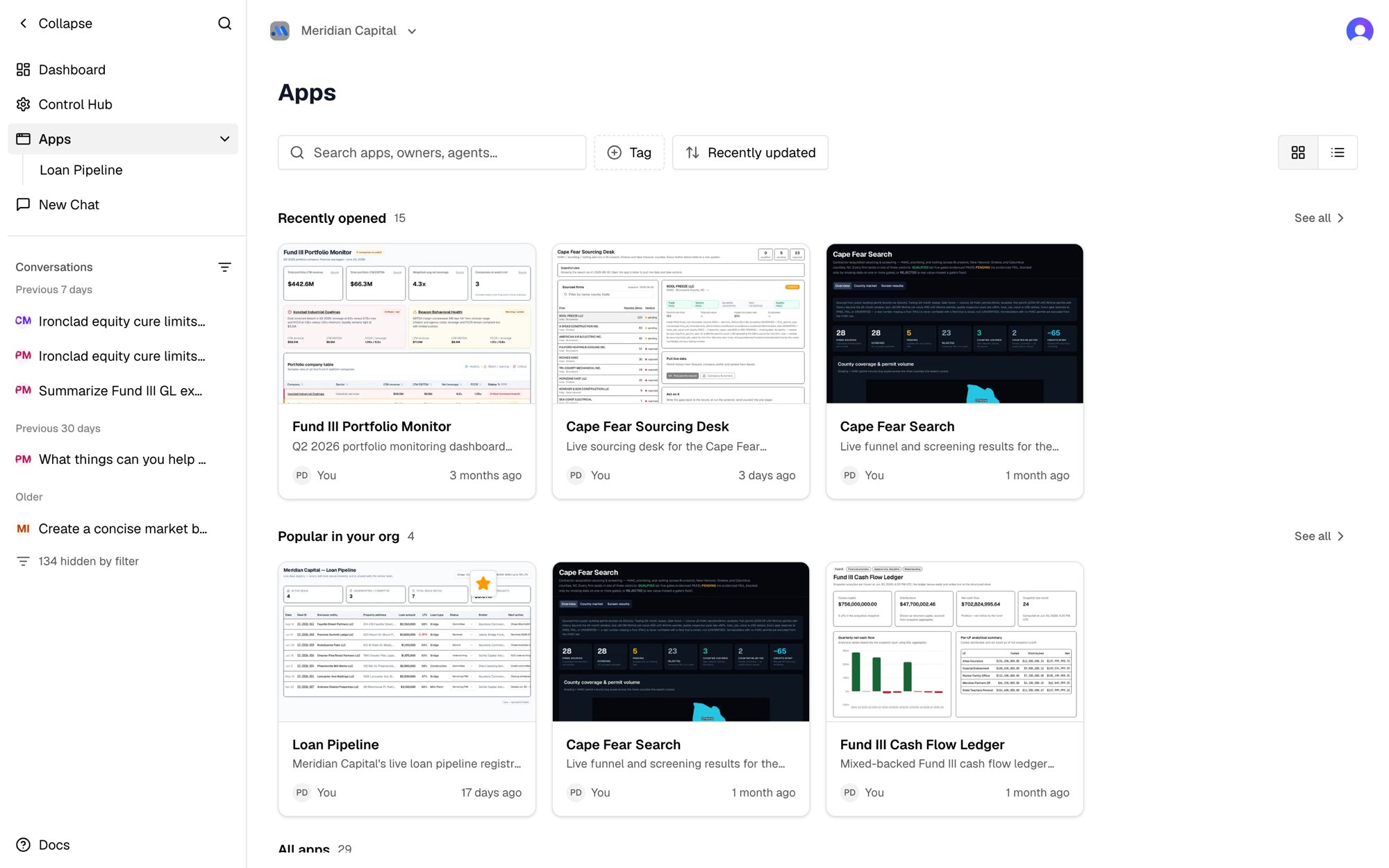
Sidebar
Click Apps in the left navigation to see all apps in your organization. Apps your admin pinned and apps you starred are listed underneath.
Direct URL
Every app has a stable URL at
/apps/{id} that you can bookmark or share.Locking Apps
By default, any agent in your organization can update or delete any app. Once an app is finished — a board report, a portfolio dashboard, a shared source of truth — you may want to freeze it so it doesn’t get changed unexpectedly. That’s what locking does.- Lock it: Ask an agent to “lock this app.” While locked, only the app’s author (the person it was created for) or an organization admin can edit, delete, or unlock it.
- Everyone else can still view it: Locking only restricts editing — the app stays open and visible to your whole organization.
- Unlock anytime: Ask the agent to “unlock the app” to allow edits again. You can lock and unlock as often as you like.
- Unlocked by default: New and existing apps start unlocked. Nothing changes until you choose to lock one.
A scheduled task runs as the person who owns it. Its refresh can update a locked app only if that person is the app’s author or an admin; otherwise the run stops with a “locked” error. If you lock an app that refreshes on a schedule, make sure the task belongs to its author or an admin.
Sharing an App Publicly
To show an app to someone outside your organization — an investor, a client, a board member — open it and click Share, then Create public link. Anyone with the link can open the app’s latest version without signing in to Aster. Only the app’s author or an organization admin can turn the link on or off; turning it off stops the link immediately, and sharing again creates a new link. The Share dialog lists exactly what the link opens:- Everything the app shows, not just what’s on screen. Filters and tabs only change the view, so a viewer can see all of the app’s data.
- Live tables, read-only: every row in every table of the data stores the app reads, including rows added later.
- Documents the app cites, from the knowledge bases it reads.
Keeping Apps Up to Date
Apps show a snapshot of data from when they were last updated. To refresh:- Ask the agent: Tell the same agent to update the app with fresh data
- Automate it: Pair the app with a Scheduled Task — create a task that tells the agent to refresh the app on a recurring schedule (daily, weekly, etc.)
Reliable scheduled refreshes: keep the build deterministic
If an app’s data is refreshed on a schedule, how the data is shaped should live as code inside the app — not as instructions in the scheduled task. This is the single most important practice for a data-backed app that refreshes itself, and it’s why a dashboard that “keeps breaking after the daily refresh” breaks. The reason: an app’s charts read specific fields by exact name. If the recurring refresh re-derives that shape from a long natural-language prompt each day, the agent will eventually emit one field slightly differently — a renamed column, a table that came back in the wrong layout — and that chart silently goes blank even though nothing crashed. Code emits the same shape every time; a prompt re-improvised daily does not. The reliable pattern:- The app carries its own build + validate scripts (bundled files, e.g.
build_snapshot.pyandvalidate_snapshot.py). The build script is a fixed transform — raw data in, the exact dashboard data out. The validator checks every field the app reads before anything is published. - The scheduled task stays dumb. It should say, in effect, “fetch the latest raw data, run the app’s build script, validate, render-check, and publish if it passes” — and contain no field names, calculations, or data rules itself. All of that lives in the app’s bundled code.
- The agent orchestrates; it doesn’t compute. Each run it fetches the raw source data and hands it to the build script untouched. It only intervenes by hand for genuinely new situations (a new category appears, the source system changes) — and then it updates the app’s bundled script, so the fix is permanent.
If you find a recurring task prompt growing into pages of “make sure field X is named Y, the table must be in this layout, don’t drop section Z” — that’s the warning sign. Those rules belong in the app’s build/validate code, where they’re enforced deterministically, not in a task prompt where they drift. The agent can do this refactor for you: ask it to “move the snapshot-building logic out of the scheduled task and into a bundled build script the task just runs.”
Version History
Every publish is kept as a version, and nothing is overwritten. Choose Version history from the app’s ⋯ menu to see every version, newest first, with who published it, when, and a one-line note on what changed. Scheduled data refreshes are grouped together so real changes stand out. Open any past version to view it side by side with the live one. To go back to it, click Restore and choose:- Exactly as it was: its layout and its data.
- Layout only, keep current data: its layout with today’s data.
Actions
Apps can do things, not just show them. Ask the agent to add a button or a drop zone, and the app can:- Run an agent: for example, “Draft a follow-up” runs an agent and shows its answer.
- Call a tool directly: update a Salesforce record, send an email, or query a connected system live, without starting a conversation.
- Take a file: a dropped file is saved, and can be added to a knowledge base.
- Search a knowledge base live: results and file lists come from the knowledge base when the app is opened, so new documents show up without republishing.
URL Parameters
An app’s query string belongs entirely to the app, so a single app can be deep-linked to a specific view:/apps/42?region=West&tab=2. That means an agent can hand a user a link
straight to the filtered slice they asked about, rather than the app’s default view.
Ask for it in plain language: “Link me to the pipeline dashboard filtered to the West region.”
Apps read and write these params with the useAppParams() hook from @aster/sdk:
- Values are always strings — parse your own numbers and booleans, and always provide a default
setParamsmerges a patch into the current params and writes them to the address bar, so the URL a user copies always reflects what they’re looking at. Passnullto clear a key- Params select or filter within the published snapshot; on their own they don’t fetch new data. For that, see Actions.
app_params to export_pdf or export_png to produce a per-region PDF from one app.
Use Cases
Analytics Dashboards
Analytics Dashboards
“Pull our Google Analytics data for the last 90 days and build a traffic dashboard with trends by channel, top pages, and device breakdown”The agent queries your connected GA4 properties, computes the metrics, and publishes a dashboard with interactive charts and tables.
Sales Pipeline Reports
Sales Pipeline Reports
“Build a pipeline overview from Salesforce showing deal count by stage, weekly trends, win rate, and our top 10 open opportunities”The agent pulls CRM data, calculates KPIs, and creates a persistent view your sales team can check daily.
SEO Performance Views
SEO Performance Views
“Show me our Search Console performance — clicks, impressions, CTR by query, and which pages are getting the most visibility”The agent combines GSC data across your properties and builds a multi-tab analytics app.
Financial Summaries
Financial Summaries
“Create a QuickBooks dashboard showing cash position, AR aging, and this quarter’s P&L trends”The agent queries your accounting data and builds a financial overview with formatted currency values and comparison periods.
Competitive Research
Competitive Research
“Research the top 5 competitors in our space and build a comparison dashboard with pricing, features, and recent news”The agent uses web search and scraping tools, organizes the findings, and presents them in a structured comparison view.
Advanced: Multi-File Apps
For more complex apps — ones with multiple sections, shared components, or generated data files — agents can use a project-based workflow:Build files in a workspace
The agent builds files in a workspace using the code execution environment.
Describe the structure
It creates a small config file (
aster-app.json) that describes the app structure.Publish all at once
It publishes the whole project at once.
- Multiple component files — break a large app into organized, reusable pieces
- Generated assets — include CSV exports, charts, PDFs, and images (up to 100MB each). Keep them directly in the assets folder: files in subfolders aren’t published.
- Data processing — run Python scripts to transform raw data before building the view
- Iterative editing — load an existing app back into the workspace, make changes, and re-publish
Combining with Other Features
Tips
- Iterate. If the first version isn’t quite right, tell the agent what to change: “Move the chart to the top” or “Add a table showing the raw data” or “Use a dark theme.”
- Bookmark your apps. The URL is permanent — save it, share it in Slack, add it to your daily routine.
- Set up auto-refresh. For dashboards you check regularly, create a scheduled task that updates the app so the data is always fresh when you open it.